Maple Evergreen  ·  Field Organizer at SEIU

I built a D&D setup that runs itself.

I run a Dungeons & Dragons game for my friends. I wanted the music and the lights to change with one button press. Nothing sold does that, so I built it. The pads on this page work. Try one.

Press a pad. Sound on. Bulb
What just happened

Every pad plays a real clip from my soundboard. Empty pads stop the track. The LIGHTS column changes the bulb.

Watching 8 tracks

What I built.

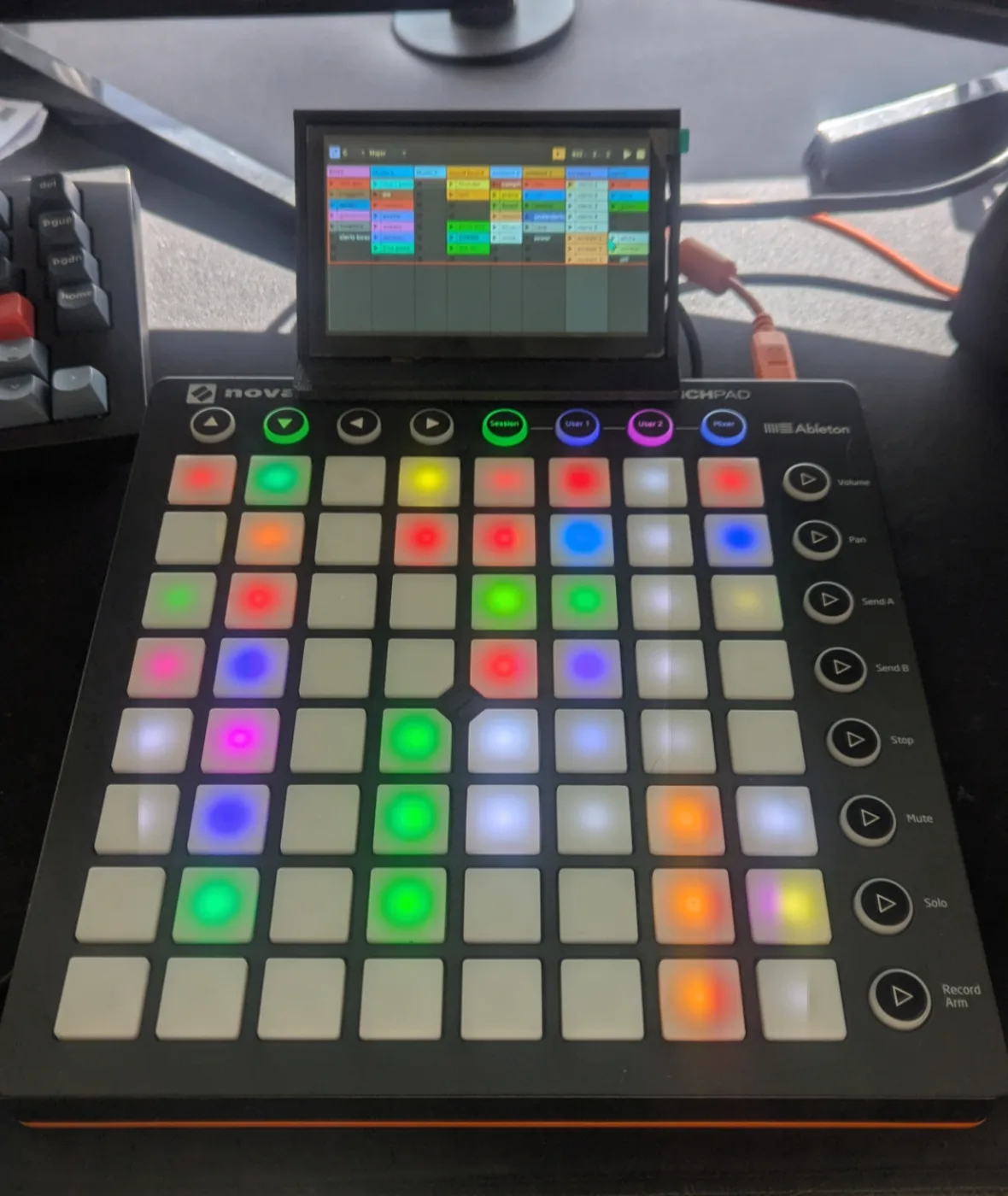
The Launchpad controller with a small screen mounted above it showing the soundboard grid

Cheap hardware, custom mount.

My 15-button Stream Deck ran out of buttons and couldn't show me what was playing. I bought a used 64-pad Launchpad for $25 and a small screen for $46, then designed a bracket to hold them together. Five printed versions to get it right.

More details
  • Novation Launchpad S from eBay and an ELECROW 5″ 1024×600 HDMI touchscreen. $70.59 total. A Stream Deck XL is $249.99.
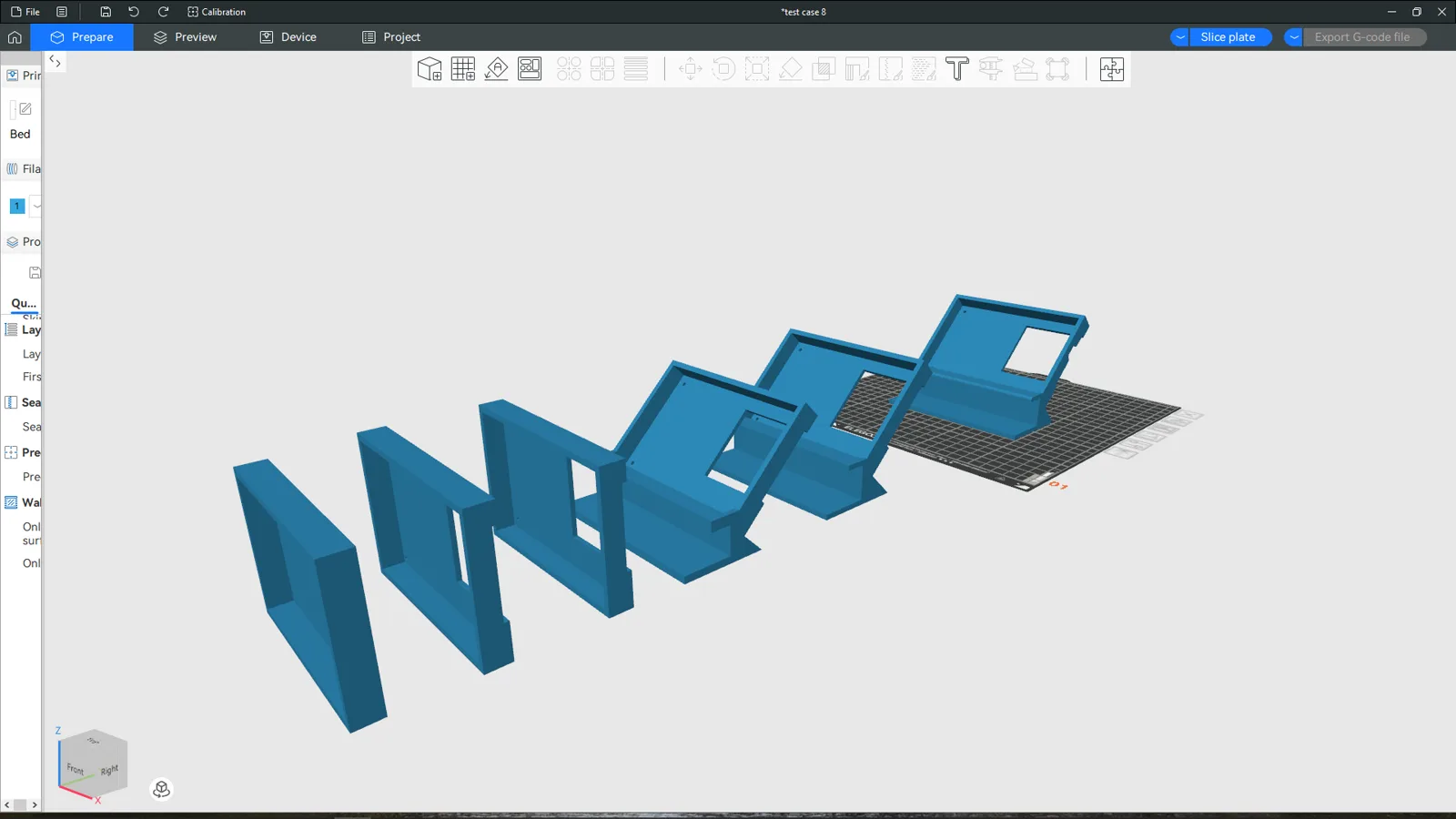
  • Bracket designed in SolidWorks. Four test prints, then the final.
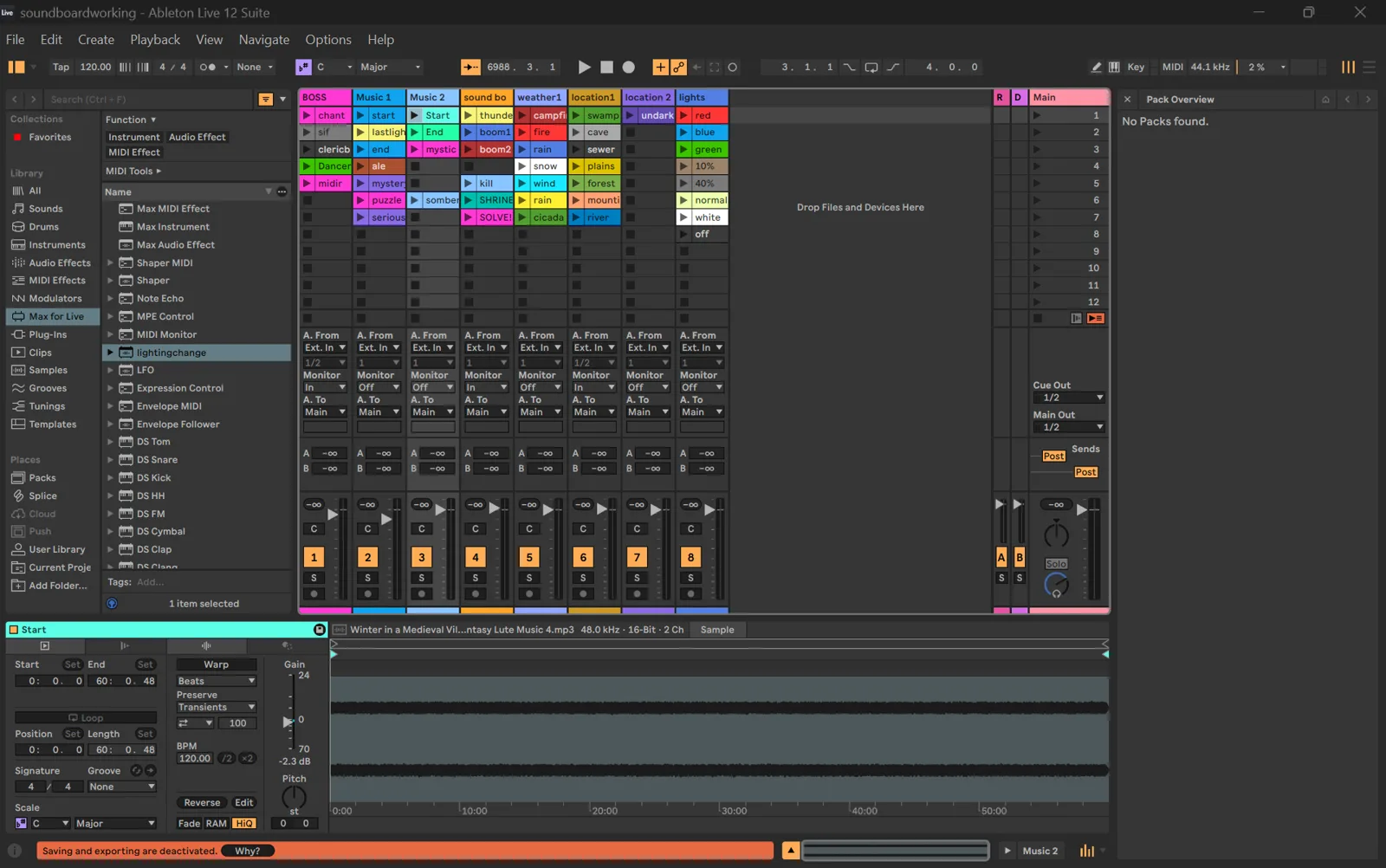
  • The screen mirrors Ableton's Session View, so every pad has a readable name.
Every version of the 3D-printed mount side by side in the slicer
Every version of the mount in the slicer.
Ableton Live session with eight tracks of clips

The soundboard.

Every pad plays a clip in Ableton Live: boss music, tavern songs, thunder, screams. 44 clips on eight tracks. The eighth track's clips are silent and named after colors.

Split screen: a smart bulb glowing red next to the Launchpad

Connect it to the lights.

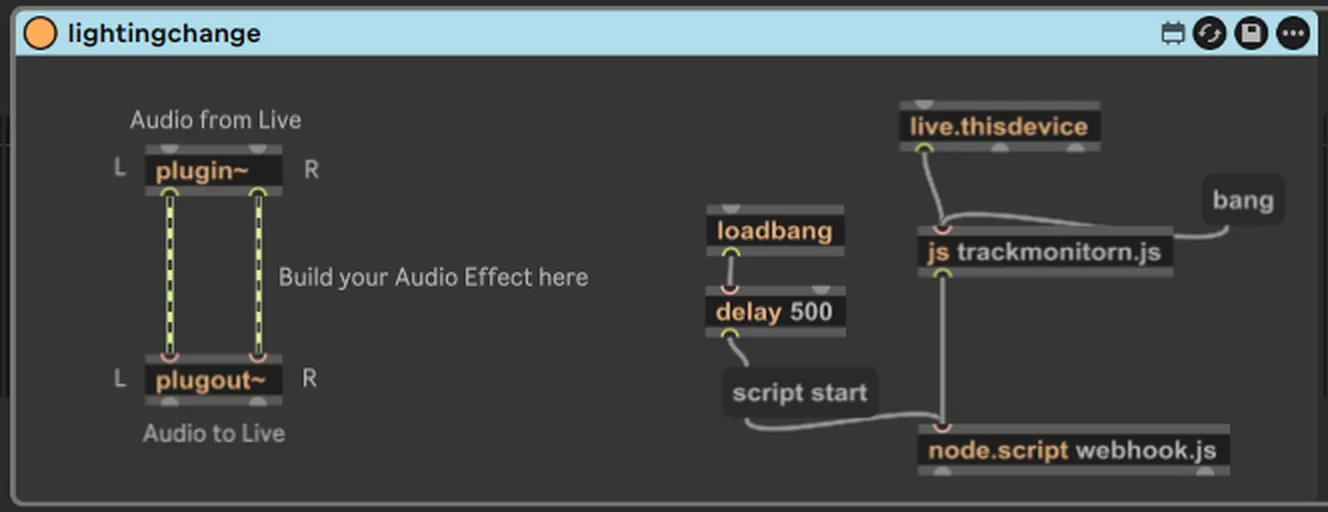
Ableton can't talk to the internet. I wrote a small program that runs inside it, watches every track, and when a color clip plays, sends a message that turns the bulbs that color. It takes about a second.

The chain and the code ↓

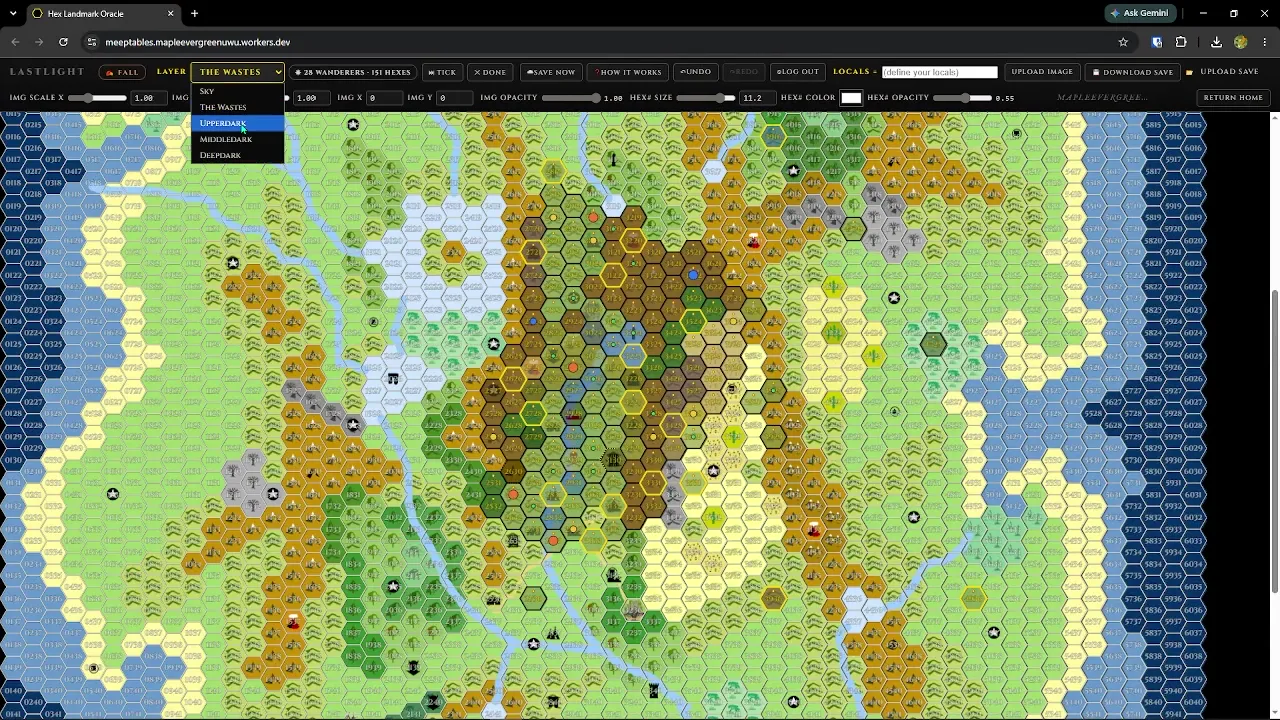
A colorful hex map of the game world

Build the world.

With the soundboard done and a big game coming up, I built the rest as web apps: a map that generates what the players find, a character builder, a session planner. Everything saves between sessions.

The apps ↓

How the lights follow the music.

You press a padon the Launchpad
Ableton plays the clip
My script notices
It sends a webhookretries if the Wi-Fi drops
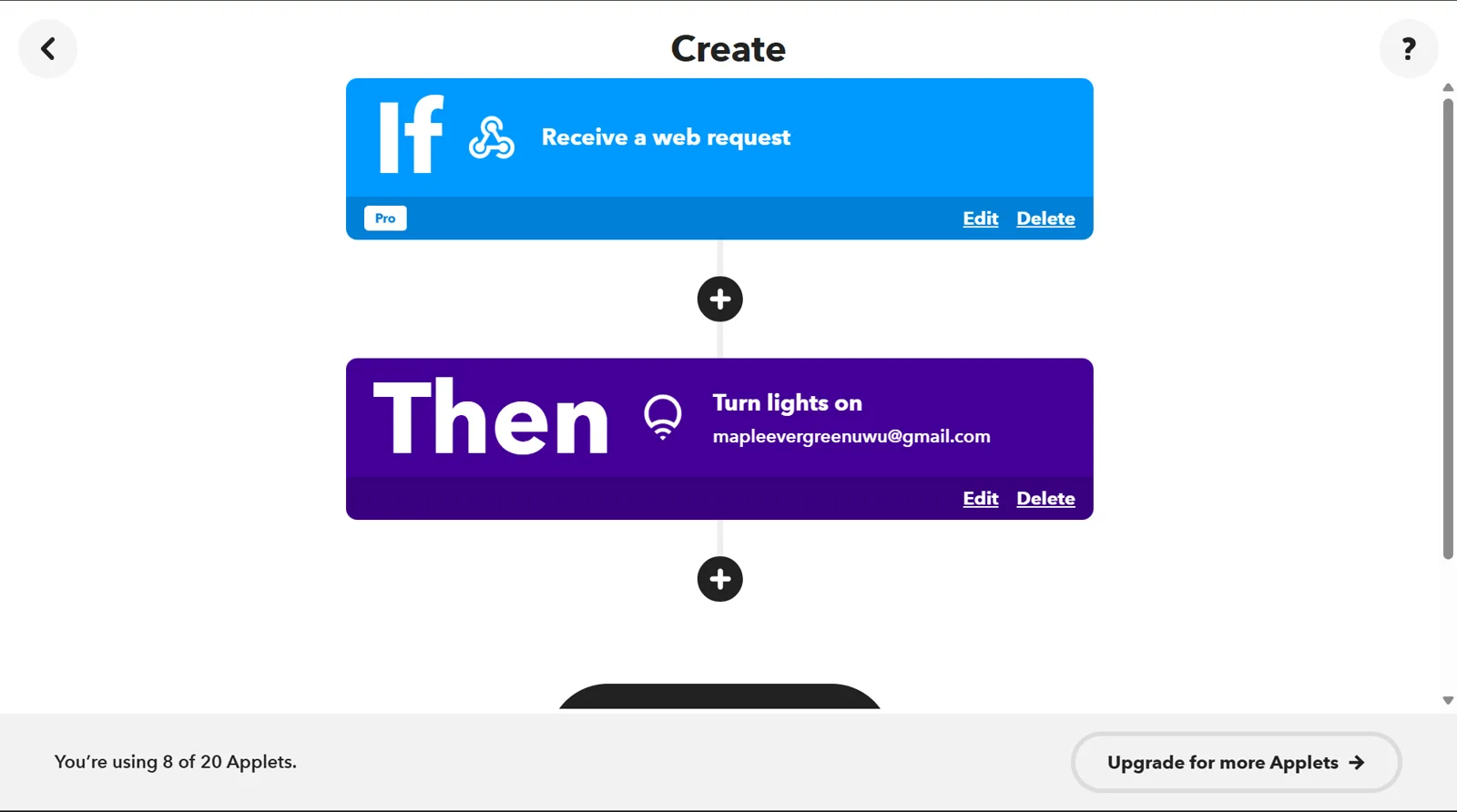
IFTTT gets itone rule per color
The bulbs changethe room goes red
Sends "red" through every hop.

The code.

Two files inside a Max for Live device. The comments say what each part does.

trackmonitorn.jsMax for Live · js
// Runs inside Ableton through Max for Live.
// Watches every track and reports which clip just started.

var observers = [];

// Runs once when the device loads.
function bang() {
    // Clear watchers from any earlier run, so nothing
    // gets reported twice after a reload.
    for (var i = 0; i < observers.length; i++) {
        observers[i].property = "";
    }
    observers = [];

    // Count the tracks in the open set.
    var liveSet = new LiveAPI("live_set");
    var count = liveSet.getcount("tracks");
    post("Watching " + count + " tracks\n");

    // Put a watcher on every track. Ableton calls it
    // whenever the playing clip on that track changes.
    for (var i = 0; i < count; i++) {
        var api = new LiveAPI(makeCallback(i), "live_set tracks " + i);
        api.property = "playing_slot_index";
        observers.push(api);
    }
}

// Builds the function that runs when a track changes.
function makeCallback(trackIndex) {
    return function(args) {
        // args[1] is the slot number. -1 means the track
        // stopped, so that case is ignored.
        if (args[0] === "playing_slot_index" && args[1] >= 0) {
            var slotIndex = args[1];

            // Find the clip in that slot and read its name.
            var clip = new LiveAPI("live_set tracks " + trackIndex + " clip_slots " + slotIndex + " clip");
            var name = clip.get("name");
            post("Now playing: " + name + "\n");

            // Hand the name to webhook.js.
            outlet(0, "clip", name);
        }
    };
}
webhook.jsMax for Live · node.script
// Runs in Node inside the same device. Gets a clip name
// from trackmonitorn.js. If it's a lights clip, it sends
// a web request to IFTTT, and IFTTT sets the bulbs.

const Max = require('max-api');
const https = require('https');

// One IFTTT address per color. The key is my IFTTT account.
const KEY    = "<ifttt-maker-key>";
const red    = "https://maker.ifttt.com/trigger/RED/with/key/"    + KEY;
const blue   = "https://maker.ifttt.com/trigger/BLUE/with/key/"   + KEY;
const green  = "https://maker.ifttt.com/trigger/GREEN/with/key/"  + KEY;
const off    = "https://maker.ifttt.com/trigger/OFF/with/key/"    + KEY;
const on     = "https://maker.ifttt.com/trigger/WHITE/with/key/"  + KEY;
const normal = "https://maker.ifttt.com/trigger/NORMAL/with/key/" + KEY;
const rain   = "https://maker.ifttt.com/trigger/rain/with/key/"   + KEY;
const purple = "https://maker.ifttt.com/trigger/pink/with/key/"   + KEY;

// Which clip names mean what. Any name not in this
// list is ignored. Adding a color is one new line here
// and one new rule in IFTTT.
const clipMap = {
    "Start game": { url: normal, color: "normal" },
    "green":  { url: green,  color: "green"  },
    "red":    { url: red,    color: "red"    },
    "blue":   { url: blue,   color: "blue"   },
    "normal": { url: normal, color: "normal" },
    "off":    { url: off,    color: "off"    },
    "white":  { url: on,     color: "white"  },
    "purple": { url: purple, color: "purple" },
    "rain":   { url: rain,   color: "rain"   }
};

// Send the request. If it fails, wait and try again,
// up to four times.
function sendWebhook(entry, attempt) {
    attempt = attempt || 1;

    // agent: false opens a fresh connection every time
    // instead of reusing an old one.
    https.get(entry.url, { agent: false }, (res) => {
        res.resume(); // read the reply so the connection closes cleanly
        Max.post("Sent" + (attempt > 1 ? " (attempt " + attempt + ")" : "") + " > " + entry.color);
    }).on('error', (err) => {
        if (attempt < 4) {
            // Wait a bit longer each time: 0.5 s, 1 s, 1.5 s.
            setTimeout(() => sendWebhook(entry, attempt + 1), attempt * 500);
        } else {
            Max.post("FAILED after 4 tries: " + entry.color + " (" + err.message + ")");
        }
    });
}

// Runs every time trackmonitorn.js reports a clip.
Max.addHandler("clip", (clipName) => {
    const entry = clipMap[clipName];
    if (entry) {
        sendWebhook(entry);
    } else {
        // A music or sound clip. Nothing to send.
        Max.post("No webhook mapped for: " + clipName);
    }
});
The Max for Live patch wiring the two scripts together
The Max patch. A delayed loadbang starts the observer, which feeds the Node script.
IFTTT rule: if a web request arrives, then turn the lights on
One IFTTT rule per color.

Last Light.

My campaign is called Last Light. I built five web apps for it, all linked from one home page. The three big ones are below.

Real footage
Chart the Wilds

A map that generates the world

Five stacked maps, from the sky to the deepest underground. When players enter a hex, the map decides what's there and keeps it.

  • 151 explored hexes and 28 creatures that roam, hunt and hold territory, with seasons and weather.
  • Saves on the device first, then to the cloud, with undo. Open it on a phone at the table and it's the same world.
  • The biggest thing I've built: 19 files, about 32,000 lines.
Open it
Real footage
Inside a hex

One click, one dungeon

Ask a hex what's in it and you get a landmark, then a dungeon: a vampire den with five rooms, drawn as a map, each room with lighting, loot, traps and monsters.

  • Dozens of dungeon types, each limited to the environments where it makes sense.
  • Every number the generator uses lives in one file, so it can be tuned without guessing.
  • A test builds every dungeon type in every environment and blocks the release if a rule breaks.
Real footage · 1:29
Inhabit a Body

A character in seven steps

Players build a character step by step. The app does the math as they click and prints a finished sheet.

  • Seven steps: lineage, path, ability scores, origin, gear, body, sheet.
  • Works out armor, hit points, saves, skills and a full inventory with weights.
  • One file, no server. Saves in the browser and prints to PDF.
Open it
Plan a Session

Build a Session

Drafts the beats of a night: who's playing, what they might find, which items and spells are in play. The item and spell catalog is baked into the page, so it runs with no server.

Open it
Reference tool

Magic Item Lookup

Pulls 237 magic items from a public D&D data source, cleans them into one format, and serves a page where you can search them or roll a random one.

Under the hood

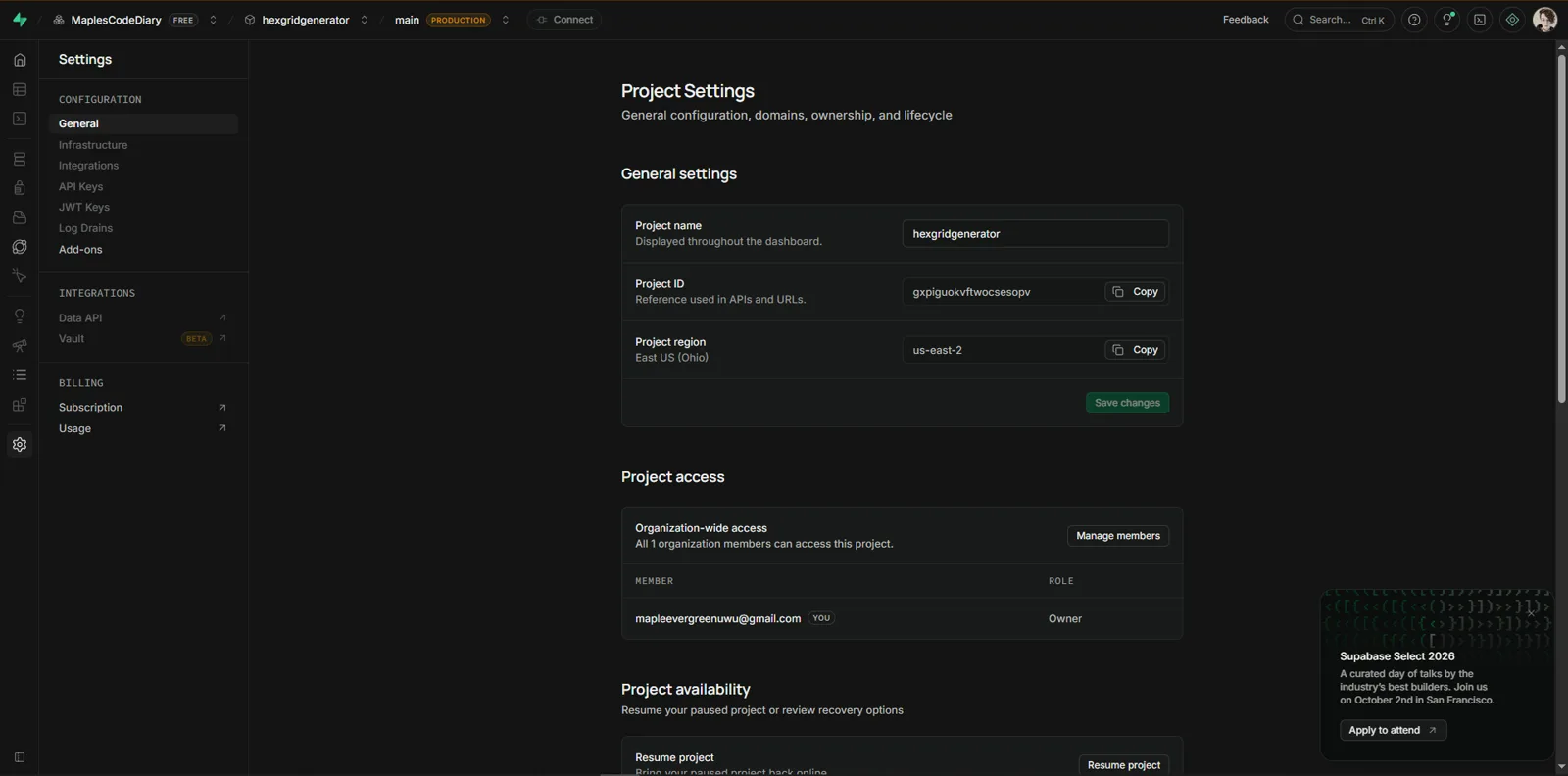
Storage. The map writes to IndexedDB first, with a localStorage mirror in case IndexedDB fails, then syncs to Supabase (Postgres). One shared campaign row holds the world as JSON, owned by a lead account. Row-level security lets anyone read the map and only the lead write. A regression test proves a rolled hex is never lost, even if IndexedDB is unavailable.

Sync. Sign-in reconciles cloud-wins. Pushes are skipped when nothing changed. The creature ecosystem changes every tick, so it saves locally every tick and commits to the cloud at checkpoints. That rule fixed a realtime echo cascade where every client re-broadcast what it received and the egress bill spiked. I found it in the bill first.

Deploys. All five apps run on Cloudflare Workers. Two smaller apps bake their JSON into the page with a build script.

Supabase project settings for the hex grid generator
The Supabase project behind the map.
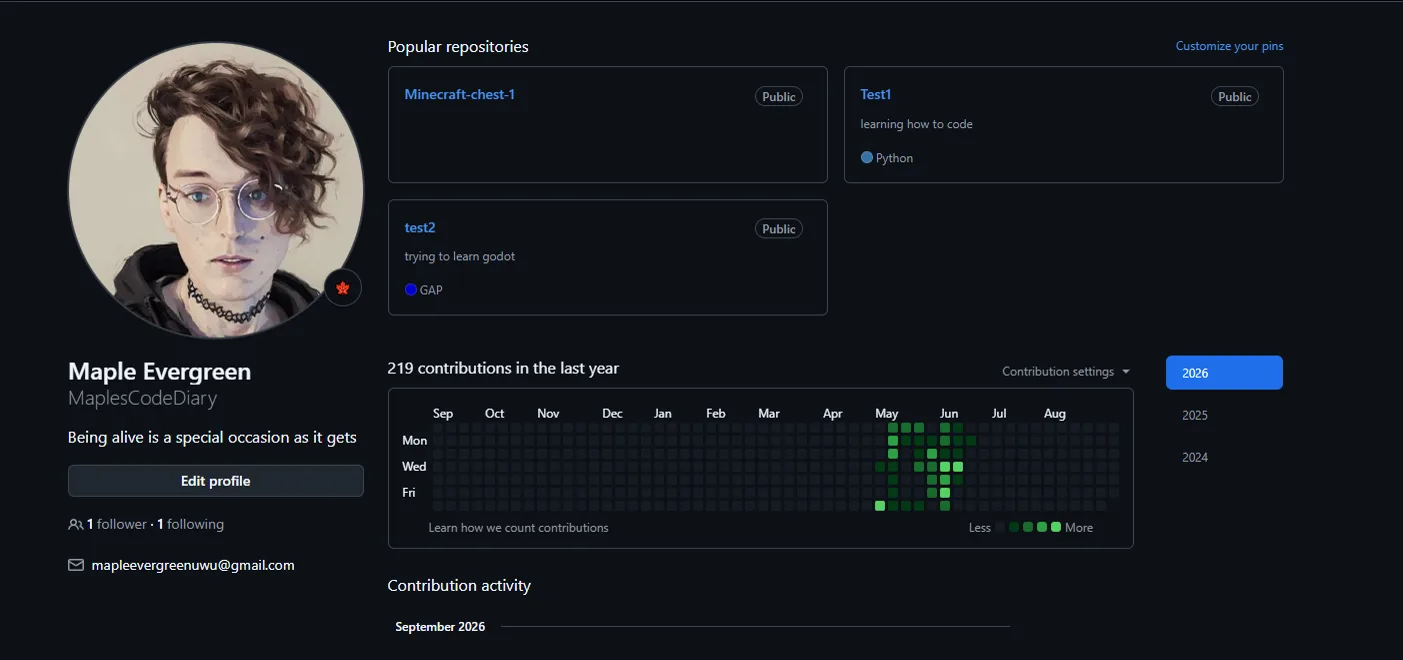
GitHub profile showing 219 contributions in the last year
219 commits in the last year.

The payoff.

Turn your sound on
The castle-shaped DM screen I built, with the Last Light sigil on the tower
The DM screen. Built and painted by hand.
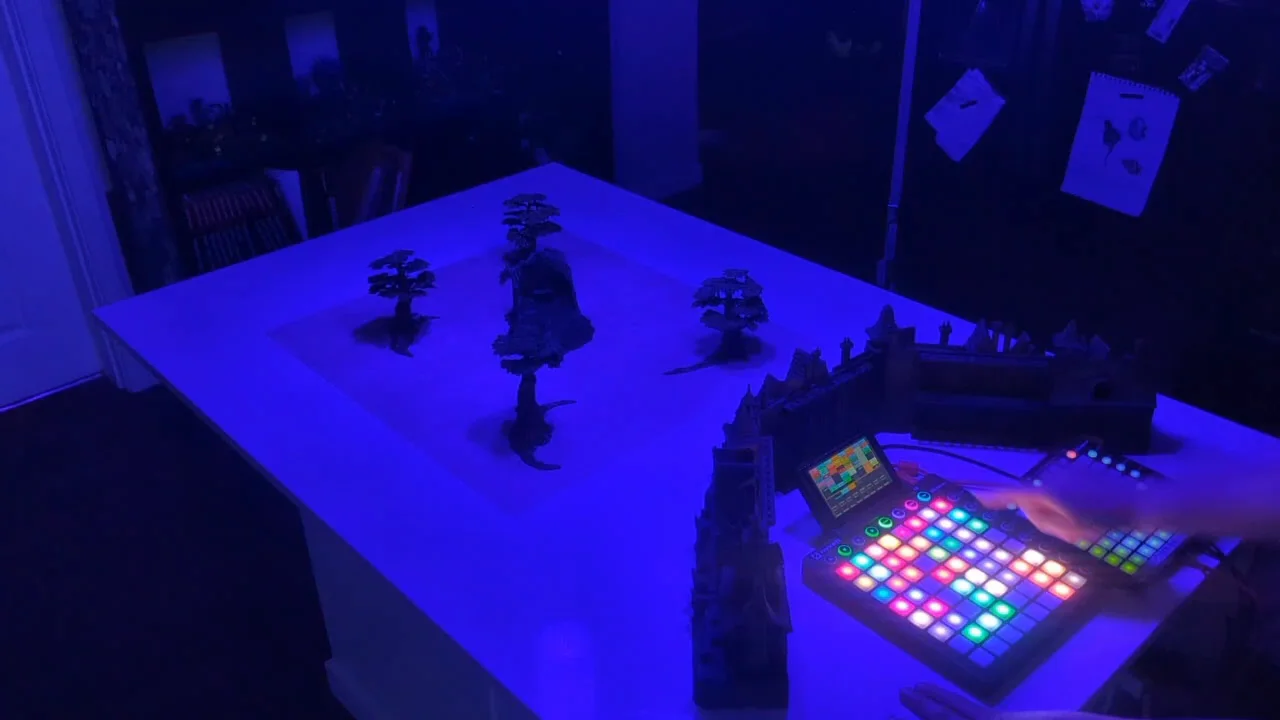
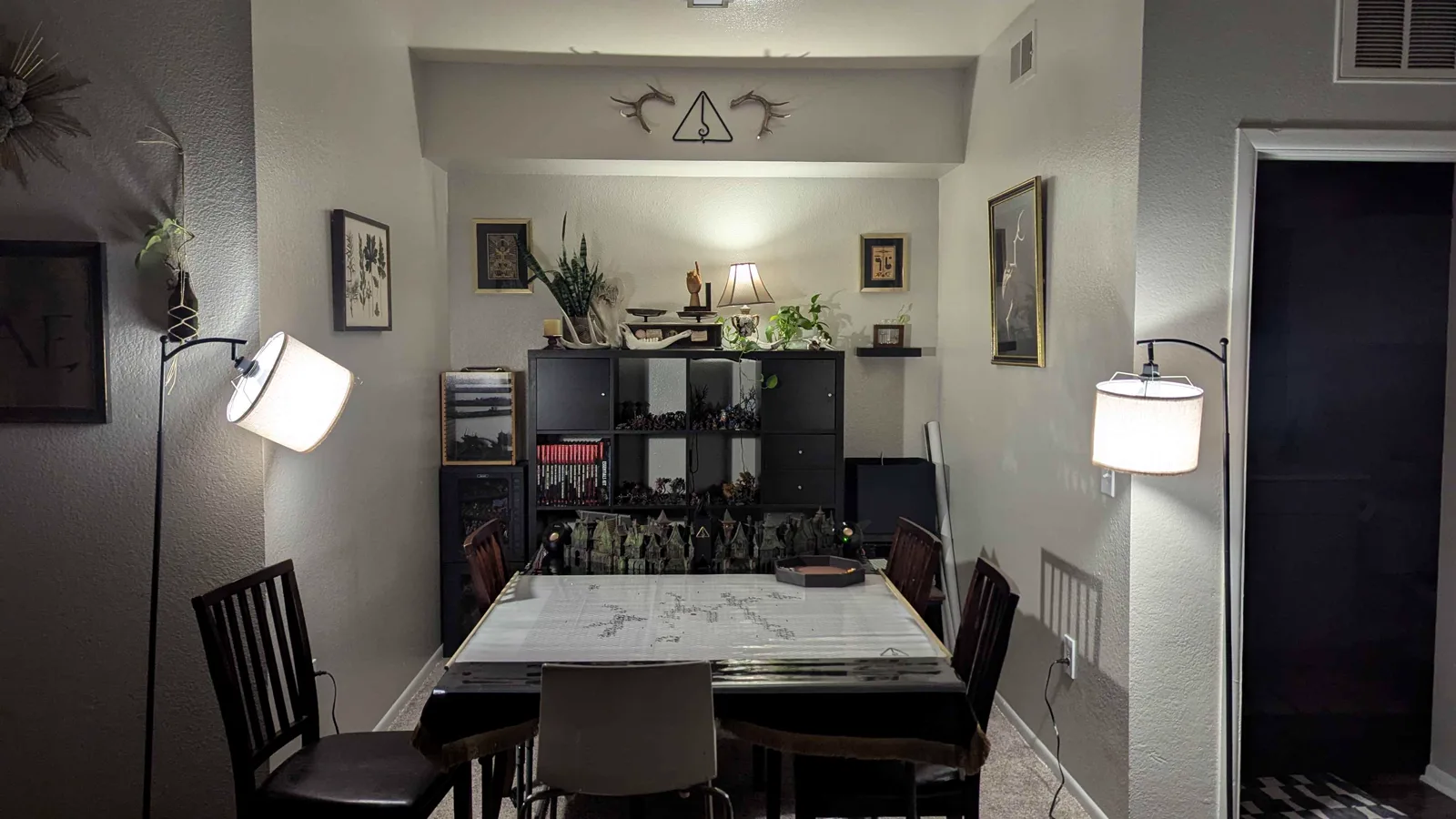
The game room with the table, screen and the lights the system controls
The room. Three lights in here change with the music.
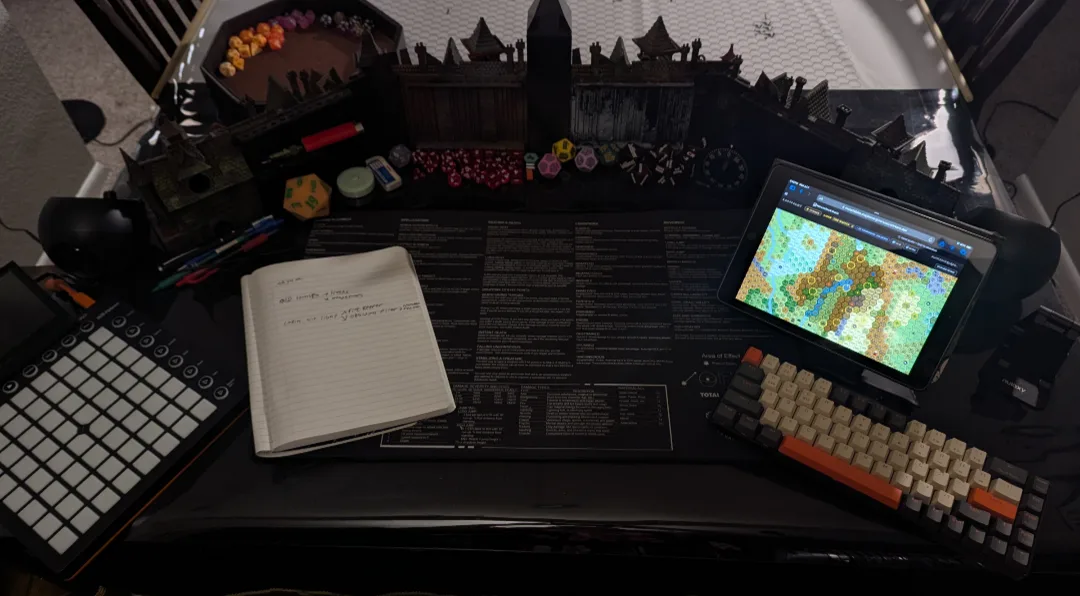
Behind the screen: Launchpad, notes, and the map on a tablet
Behind the screen: Launchpad, notes, map on a tablet.

Teaser

Sound on

Trailer

Sound on

Tools and skills for this project.

Ableton LiveMax for LiveLiveAPIJavaScriptNode.jsWebhooksIFTTTLIFXHTMLCSSSupabasePostgreSQLIndexedDBCloudflare WorkersCloudflare PagesGitHubClaude CodeSolidWorks3D printingPremiere ProProcedural generationAutomated testing